First steps
The examples use fictional data.
Your data is not encrypted on disk
Arca stores your data and documents as they are: encrypt the disk that holds them. Read Security and privacy before making Arca reachable from the Internet.
1. Set up the household
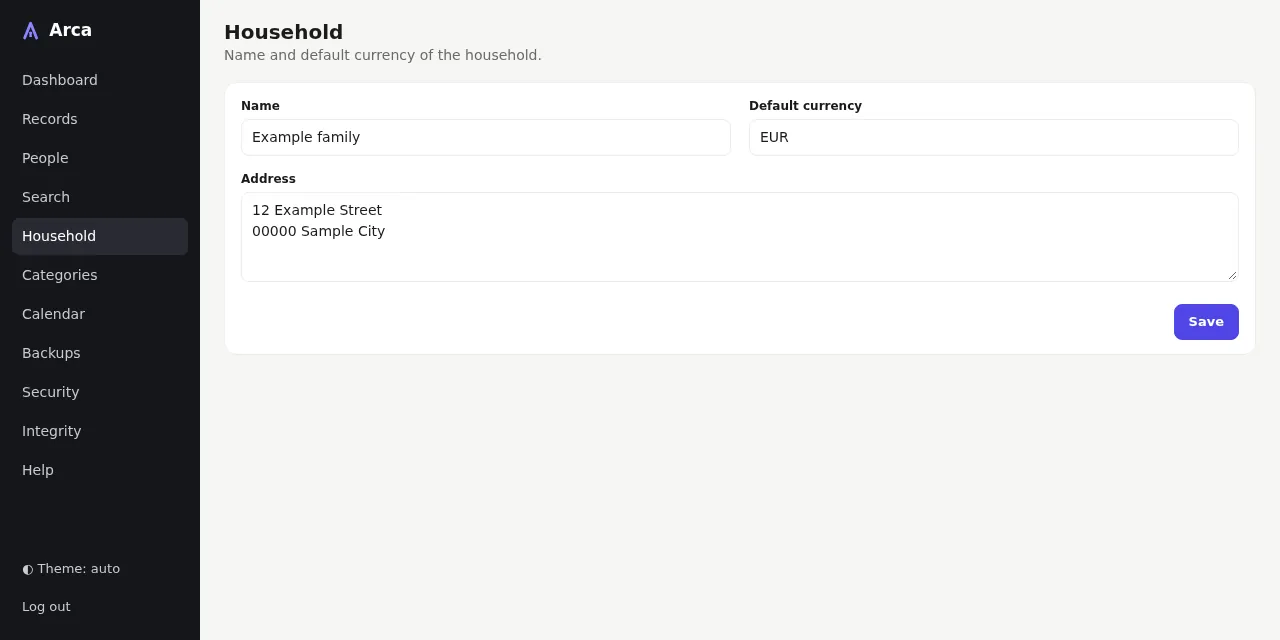
Open Household, give it a name and a default currency (a three-letter
ISO code such as EUR or CHF). The dashboard reminds you as long as the
currency is missing.
Then open People and add each member of the household.
2. Create a record
The quickest way is ⚡️ Quick add, on the dashboard: choose the document
(passport, insurance…), the person, the date and a photo; Arca creates the
record and, when there is a date to watch, its deadline (see the
Screen guide). For a passport or an identity card, Arca
reads the photo of the side with the <<< lines (often the back of a card) and
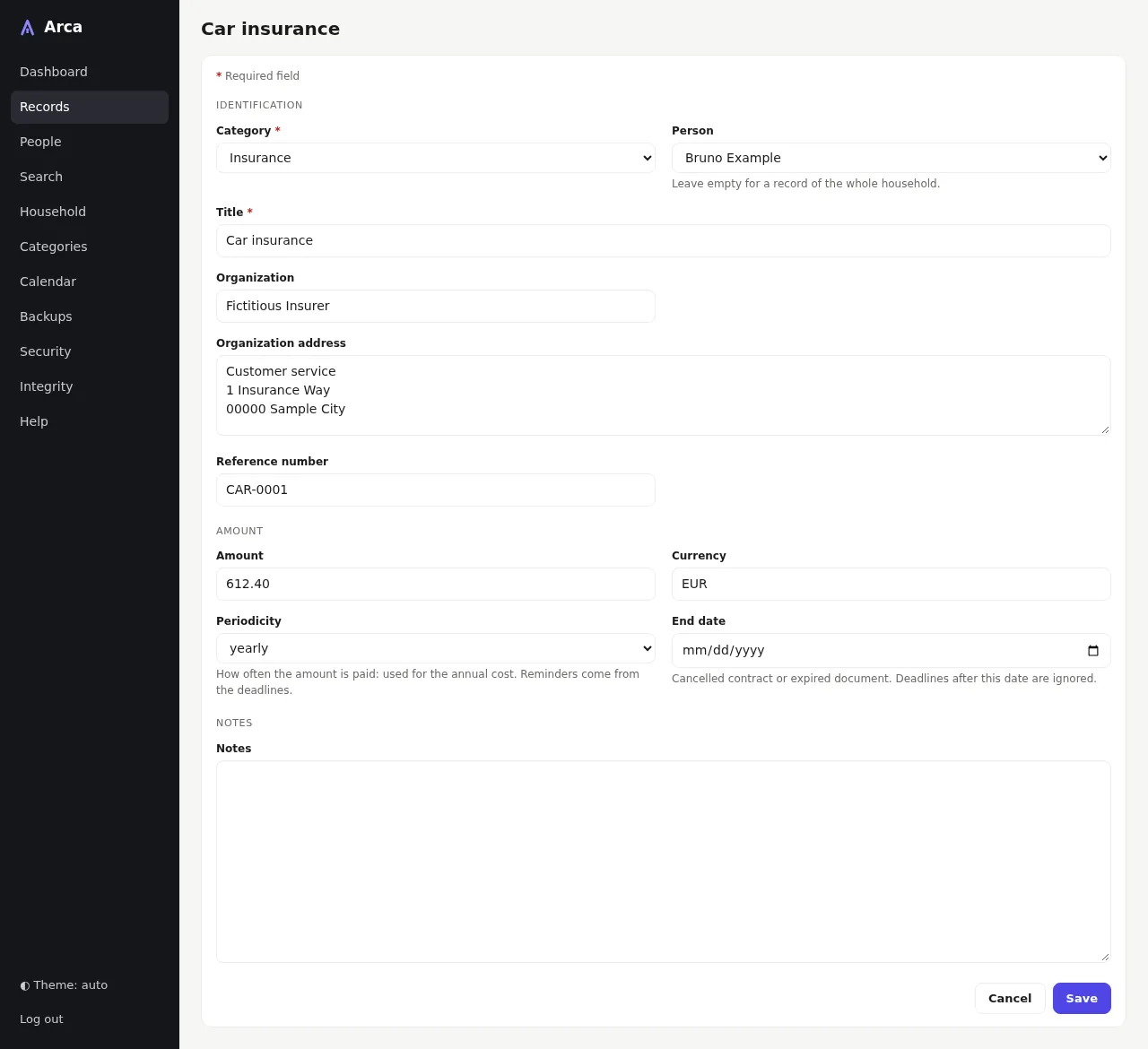
fills in the form for you to check. The full form below gives every field.
In Records, choose New record:
- pick the category and the person — or keep Whole household;
- give it a title (Passport), the organization and the reference number;
- add an amount only if it helps: a currency is then required.
3. Add deadlines
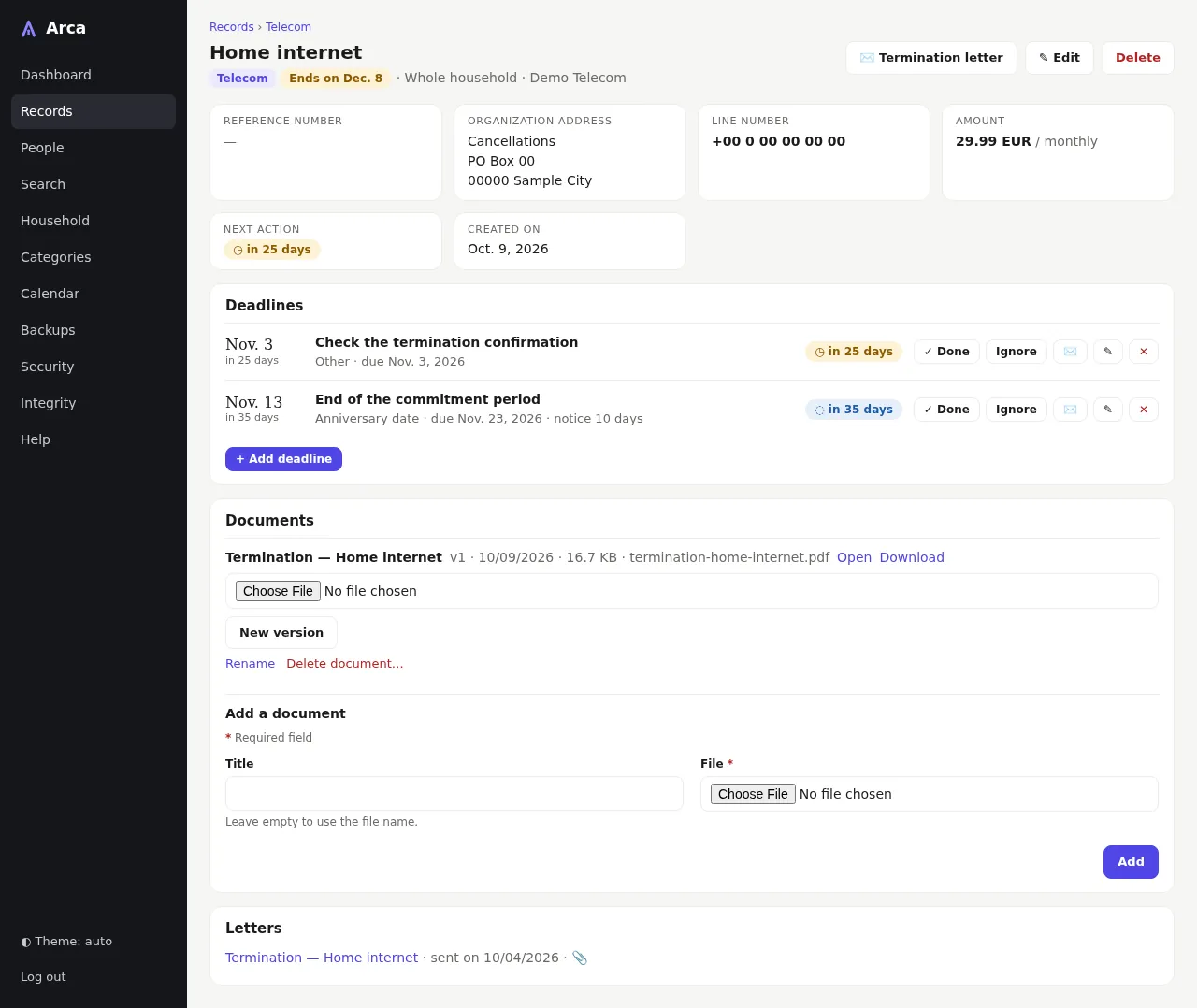
On the record page, choose Add deadline:
- Action: what you will have to do (Renew the passport), optional;
- Kind and due date;
- Notice period if you must act beforehand (value and unit together);
- Recurrence for what comes back (12 months for a yearly contract).
The action date appears at once in the timeline of the record and on the dashboard.
4. Act on a deadline
When the action is done, choose Done on the record page. A recurring deadline creates its next occurrence immediately. Ignore hides a deadline from the dashboard without deleting it; Reopen brings it back.
5. Find a record
Use Search or the search box of Records: every word must match the title, organization, reference or notes; accents and case do not matter (electricite finds Électricité).
6. Turn on backups
Open Backups in the menu and choose Enable automatic backups. Arca
shows a recovery key — XXXX-XXXX-XXXX-XXXX-XXXX-XXXX — only once:
- save it in your password manager, or choose Download the emergency kit and keep the file away from the server;
- without it, no backup can ever be opened, and Arca cannot show it again.
Tick I have saved my recovery key, then Continue. Choose Back up now for a first archive; Arca then makes one every day. How to copy the archives off the server and how to restore: see Operations.
Theme and language
The theme follows your system; the button at the bottom of the menu forces light or dark. The language follows your browser (English or French).
Every screen is described in the Screen guide.